Signed Today, Not Next Week
Disclosure: AIStackScout is reader-supported. Some of our articles contain affiliate links. If you purchase through these links, we may earn a commission at no extra cost to you.
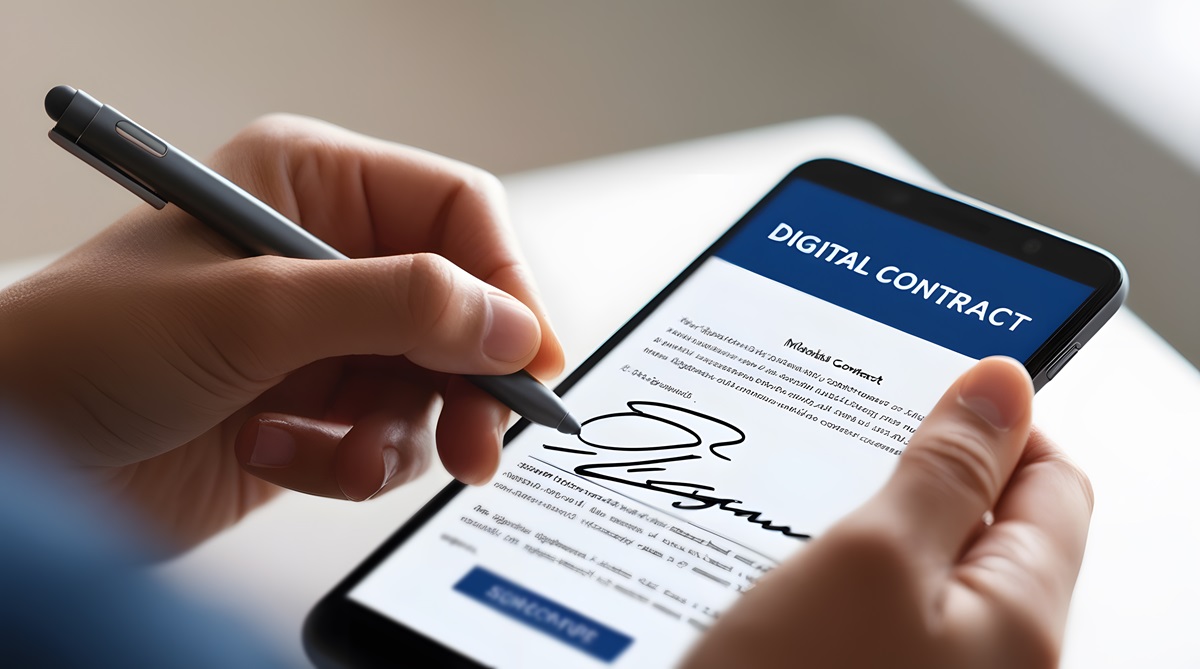
Your competitor sent the same proposal you did. Theirs came back signed inside an hour, off the prospect's phone, in the parking lot after the call. Yours is still sitting in an inbox on day four — right where the momentum you built on the call goes to cool off. You have emailed twice to ask if they got it, and each nudge makes you sound less like the obvious choice and more like someone chasing.
That gap between “yes, let's do it” and a signature on the page is where deals quietly die. A contract that should close the day you hand it over routes, waits, gets chased, and countersigns over 4 to 6 days on average — and every one of those days is revenue you booked in your head but cannot spend. Multiply one stalled agreement by every deal, offer letter, NDA, and renewal you send in a month, and the signature gap is costing you real closed business, not paperwork hours. The prospect who was ready on Monday has second thoughts by Thursday. Speed is not a nicety here. It is the difference between a signed deal and a “let me circle back.”
The short answer on AI e-signature tools
For most owners of a 1-to-100 person business, pick SignWell. It closes the signature gap for the least money and the least friction — fast templates, automatic reminders that chase for you, mobile signing, and a legally sound audit trail — without the enterprise price or setup drag. If you need deep CRM integrations, identity verification, or agreement analytics across hundreds of contracts, DocuSign is the heavier option built for that. Dropbox Sign is the balanced pick if you want a clean API and developer-friendly workflow. Adobe Acrobat Sign earns its place only if your team already lives inside Acrobat and PDFs all day.
Four tools, real pricing, one honest weakness each, and a clear winner. Here is what actually gets deals signed.
What the signature gap actually costs you
Put a number on it before you shop. Say your average agreement is worth $8,000 and you send twenty a month. If a faster signing process converts even one extra deal that would otherwise have stalled, that is $8,000 against a tool that costs between $10 and $40. The subscription is a rounding error. The stalled deal is the real line item.
Now the part that hides. Every day a contract sits unsigned, the odds it closes drop — buyers cool, budgets get reallocated, a competitor gets a second look. So what does that mean for your business? The metric that matters is not the per-user fee. It is your time-to-signature, measured from the moment the prospect says yes to the moment the last signature lands. Cut that from five days to five minutes and you are not saving postage — you are catching deals at the exact moment intent is highest, before doubt creeps in.
The print-sign-scan-email loop is where service businesses lose deals they have already won. Agreements take a week to come back, and a share never do. Owners who move to a signing tool with auto-reminders and templated contracts routinely report time-to-signature dropping to under a day, and the deals that used to evaporate in the gap start closing. Nothing about the sales pitch changes. They simply stop losing the ones they had already closed.
There is a compliance angle too. A signature captured with a proper audit trail — timestamps, IP, a tamper-evident record — holds up far better than a scanned image of a wet signature if a deal ever gets disputed. For a lean team without a legal department, that is the difference between an enforceable agreement and a fight you cannot afford.
What to check before you pick one
This category is full of tools that all claim to do the same thing. Hold every option to five standards tied to outcomes, not feature lists:
- Signing that works on a phone in seconds. Most of your signers are on mobile. If the experience makes them create an account, download an app, or pinch-zoom a PDF, you lose people at the finish line. Judge it by how fast a first-time signer with no instructions gets to “done.”
- Reminders that chase so you don't have to. The single biggest time sink is following up. Automatic reminder sequences turn four days of you nudging into the tool nudging for you — quietly, on schedule, without you sounding desperate.
- Templates and reusable fields. If you send the same agreement shapes over and over, you should build it once and send it in thirty seconds. Setup time per document is where cheap tools quietly cost you.
- Real AI where it matters — and honesty where it doesn't. The genuine AI wins here are auto-detecting and placing signature and date fields, extracting data from signed agreements, and identity or fraud verification. Plenty of tools slap “AI” on plain workflow automation. Automation is worth paying for; just do not overpay for it because it wears an AI label.
- You own your signed documents. Ask the exit question before you buy. Can you export every completed agreement and its audit trail if you leave? Your executed contracts are legal records — never let them get locked inside a vendor you cannot walk away from.
One thing to drop from your checklist: the length of the integration directory. Vendors list hundreds of connectors because it looks impressive. You will use two or three. The tool that gets a contract signed in minutes and reminds the signer for you beats the one with a longer feature grid that still leaves your deal sitting on day four.
DocuSign — the heavyweight, priced like one
DocuSign is the name your signers will recognize, and recognition matters — a prospect trusts the request and signs without hesitation. It carries the deepest set of integrations, strong identity verification, and the most genuine AI in the category: automatic field tagging, agreement analytics that read across your executed contracts, and data extraction that turns a pile of signed PDFs into searchable terms and renewal dates.
Anchor the price against a single stalled five-figure deal, and any plan here pays for itself in one signature. DocuSign has typically priced a limited single-user plan around the low double digits per month, a standard multi-user plan in the mid-$20s per user per month, and business tiers higher, with the advanced AI and agreement-management features sitting in upper or custom tiers. Confirm the current rate and which features live on which tier on DocuSign's pricing page before you commit.
Honest weakness: price and weight. For a team that just needs contracts signed fast, DocuSign is more platform than you need, and the AI pieces that justify the premium sit behind the higher tiers — so the version most small teams actually buy is a pricey way to do what cheaper tools do. It rewards you only when your volume and compliance needs are real. See it at docusign.com.
Dropbox Sign — the balanced middle
Dropbox Sign, formerly HelloSign, is the clean, no-drama option. The signing experience is fast and uncluttered, templates are easy to build, and its API is a favorite for teams that want to drop signing directly into their own website or app — a quote that gets signed on your checkout page instead of in a separate email thread closes faster.
Price it against the hours your team spends routing and chasing. Dropbox Sign has historically offered an entry plan for a single sender in the mid-teens per month and a standard multi-user plan in the mid-$20s per user per month, with higher limits and branding controls as you climb. Confirm the current tiers and send limits on Dropbox Sign's pricing page — the caps on lower plans are where teams get surprised.
Honest weakness: it sits in the middle on purpose. It has fewer advanced features than DocuSign and lighter genuine AI — most of what it markets is solid workflow automation, not intelligence. Lower tiers can also carry platform branding and tighter template limits, so the clean experience gets more expensive as you scale. See it at sign.dropbox.com.
SignWell — the value pick that just closes deals
SignWell is built to do one job cheaply and fast: get the document signed. Setup is quick, the signer experience is smooth on mobile, templates and reusable fields cut your per-document time to seconds, and automatic reminders chase for you. It is legally sound — compliant with the ESIGN and UETA standards, with a full audit trail on every completed document — so the discount does not come out of your enforceability.
Anchor it against the alternative of doing nothing and losing one deal a quarter to the gap. SignWell offers a free tier for low volume and paid plans that have typically started around $10 a month for an individual and near $30 a month for a small team with more sends and users. Confirm the current plan limits and where the free tier ends on SignWell's pricing page before you standardize on it.
Honest weakness: the “AI” here is mostly workflow automation — auto-reminders, templating, bulk send — not the agreement analytics or contract data extraction that DocuSign delivers. Its integration list and ecosystem are also smaller. If you need signing wired deep into a large tech stack or want intelligence layered on top of your executed contracts, you will outgrow it. For simply closing the gap, that is a limit most small teams never hit. See it at signwell.com.
Adobe Acrobat Sign — only if you already live in PDFs
Adobe Acrobat Sign makes sense when your team already works inside Acrobat all day. Signing lives right next to the PDFs you are already editing, and the Acrobat AI Assistant can summarize and answer questions about a document before it goes out, with automatic detection of where fields should sit. If your workflow is already Adobe, adding signing is a short step rather than a new tool to learn.
Value it against what you already pay Adobe. Acrobat Sign is commonly bundled with Acrobat Pro subscriptions in the $20-to-$30 per month range, while the standalone Acrobat Sign Solutions offering is quoted separately and skews toward custom and enterprise pricing. Confirm exactly what your Acrobat plan includes and what signing costs on top on Adobe's pricing page — the bundling makes the real number easy to misread.
Honest weakness: it only wins inside the Adobe ecosystem. If you are not already an Acrobat shop, it is a heavier, more admin-intensive way to send a signature request than the purpose-built tools, and the pricing is the least transparent of the four. Buy it because you already own Adobe, not to solve signing on its own. See it at adobe.com/sign.
The one most owners should pick
Pick SignWell. For most owners of a 1-to-100 person business, the job is not building an agreement-analytics platform — it is closing the gap between yes and signed before the deal cools. SignWell does exactly that at the lowest cost and the least friction, with the mobile signing, auto-reminders, and audit trail that actually move time-to-signature from days to minutes. You will send your first contract within the hour, and your signers will finish on their phones without a second thought. That is the whole return.
Route by fit from there. If you send high volume and genuinely need identity verification, deep CRM wiring, or intelligence layered across your executed contracts, DocuSign is the platform built for it — and its AI is the real thing, not a label. If you want to embed signing into your own product, Dropbox Sign is the developer-friendly middle. And if your team already lives in Acrobat, Adobe Acrobat Sign is the shortest path. But if you want deals signed today instead of next week without overpaying for weight you will not use, SignWell is where to start.
Speed at the signature is only worth it if the deal was sound going in. Read the contract before you send it for signature — the case we made in Signing Contracts You Never Actually Read — and tighten how you close the ones worth saving in Stop Losing Deals You Can Save.
Get your next deal signed this week
The signature gap is the cheapest deal leak you have — closing it costs less than one lost contract and pays back the first time a prospect signs off their phone instead of ghosting you for four days. The deals you have already won are the easiest revenue in your pipeline, so stop letting them stall on the last step. Fix how you close the ones worth saving next in Stop Losing Deals You Can Save, then send your next contract the fast way and watch how quickly “yes” turns into signed.